


What if two minutes of notes could help you spot the same stress that keeps sneaking up on you?
Tracking doesn’t have to be a diary chore.
It can be a tiny experiment you run on yourself.
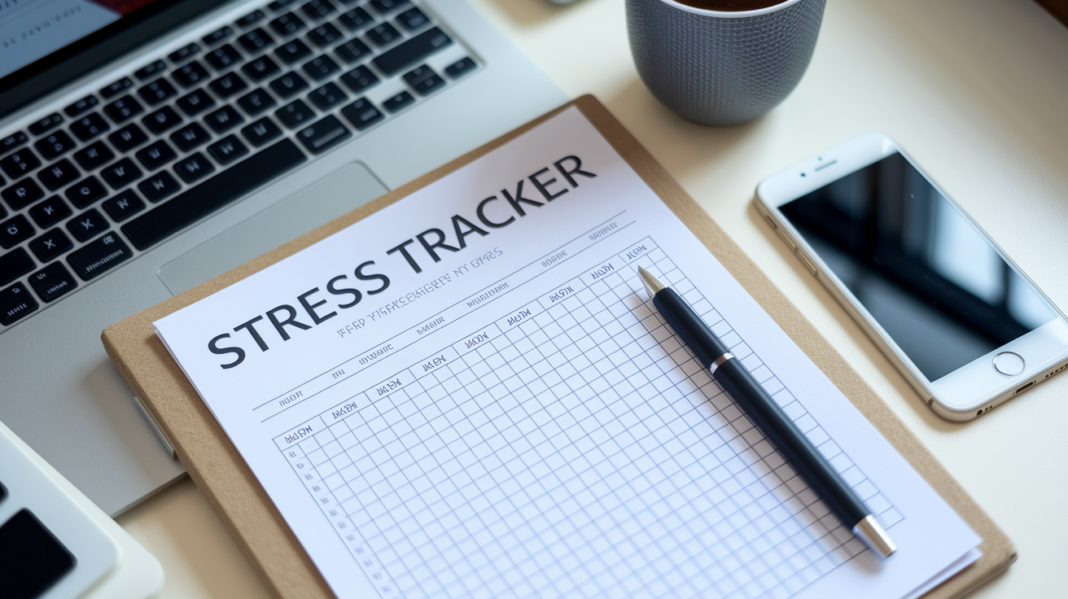
In this post you’ll get a ready-to-use stress trigger tracker and quick-start templates you can download or copy today.
Use one short entry per incident to notice patterns, link body signals to events, and test small coping moves.
Give it a week and you’ll have clearer clues about what to try next, and what to stop.
Simple, practical, and built to stick.
A Ready-to-Use Stress Trigger Tracker and Quick-Start Template

Each format below runs on the same master template. Download, copy, or duplicate whichever version fits your day, and you won’t lose any fields or rating scales in the process. Pick one, save it somewhere you’ll actually find again, and you’re set to log your first entry today.
Here’s where to grab your copy:
- Download the one-page printable PDF
- Make a copy of the Google Sheets template
- Download the Excel workbook in XLSX format
- Download the mobile-friendly CSV file
- Duplicate the Notion template
Record one meaningful incident as soon as safely possible, using short factual notes.
| Date | Time | Trigger or Event | Intensity 0–10 | Physical Signs | Emotions | Coping Used | Effectiveness 0–10 | Follow-Up |
|---|---|---|---|---|---|---|---|---|
Not sure which format to pick? Here’s a breakdown that should help.
| Format | Best For | Entry Speed | Review Options | Accessibility | Main Limitation |
|---|---|---|---|---|---|
| Printable PDF or pocket card | Distraction-free, screen-free capture | Fast for short notes | Manual read-through, no automatic totals | Large-print option, no device needed | No automatic calculations or backups |
| Google Sheets, Excel, or CSV | Filters, formulas, exports, and charts | Moderate, needs a device | Weekly counts, averages, trend charts | Screen reader and zoom support varies by app | Slower for in-the-moment entries |
| Notion or another mobile-friendly digital tool | Rapid entry, reminders, cross-device sync | Fastest, especially with voice or widgets | Tags, search, and filtered views | Speech-to-text and adjustable text size | Depends on battery and connectivity |
| A hybrid approach works too. Jot a quick note on your phone during a stressful commute, then transfer the details into your spreadsheet that evening. | |||||
Intensity and effectiveness use the same two scales throughout this guide. For stress intensity, 0 means no perceived stress at all, and 10 means the highest stress you can imagine feeling. For coping effectiveness, 0 means no relief whatsoever, and 10 means the strategy worked about as well as it possibly could.
These numbers are personal reference points, not clinical measurements. What feels like a 7 for you might feel like a 3 for someone else. That’s fine. The tracker is here to build awareness of your own patterns, not to diagnose anything.
Pros and Cons of Keeping a Daily Stress Log

Whether a stress log actually helps you tends to come down to one thing. Can you keep it light enough to stick with? A few honest lines a day beats a detailed entry you abandon after a week.
| Advantages | Possible Limitations |
|---|---|
| Identifying recurring triggers over time | Becoming overly focused on stress itself |
| Connecting body signals to specific events | Mistaking correlation for causation |
| Evaluating which coping strategies actually help | Scoring your own reactions too harshly |
| Preparing clear notes for therapy or appointments | Treating the log as a diagnosis |
| Encouraging timely, small actions | Avoiding situations prematurely based on one bad entry |
| Building general self-awareness | Creating pressure to log every single moment |
| Keeping a useful personal record | Privacy and device-security risks |
If you decide to keep a log, use neutral language rather than harsh self-judgment. “Felt tense during the meeting” works better than labeling yourself as failing to cope. Keep entries short, password-protect any digital version, and if logging itself starts to feel like a chore, cut it down to fewer fields. A log with three fields that you actually fill out beats a nine-field version sitting empty in a drawer.
The Print
Final Words
Start by downloading or copying the master template and choose the format that fits your life, like a printable card, Google Sheet, CSV, or Notion copy. Record one meaningful incident as soon as it’s safe.
We explained the six core fields, quick-capture tips, spreadsheet charts, mobile shortcuts, and a five-step logging routine. We also covered weekly and 30/90-day reviews to spot hot times and which coping moves help.
Try the daily stress trigger log for one week. Pick one pattern, test one small change, and track what shifts. You’re building useful awareness.
FAQ
Q: What does the master stress-tracking template contain and which assets can I use?
A: The master template contains Date, Time, Trigger, Intensity 0–10, Physical/Emotional Responses, Coping Used, plus optional fields and tags. Download or copy PDF, Google Sheets, Excel (XLSX), CSV, or duplicate the Notion template.
Q: How soon should I record a stressful incident?
A: You should record one meaningful incident as soon as safely possible, using short factual notes. If unsafe or busy, jot a quick capture and finish details later the same day.
Q: Which format should I choose: paper, spreadsheet, or mobile?
A: Choose a format based on capture speed and review needs: paper for distraction-free capture, spreadsheets for charts and exports, mobile for rapid entries and reminders. A hybrid workflow is fine.
Q: How do I rate stress intensity and coping effectiveness?
A: Rate intensity with 0 as no perceived stress and 10 as highest perceived stress; rate coping with 0 as no relief and 10 as highly effective. Numbers are personal reference points, not clinical measures.
Q: How much detail should each entry include?
A: Entries should include concise, observable facts in the template fields—focus on meaningful or recurring stressors, brief physical or emotional signs, and the coping action used. Skip minor annoyances.
Q: How often should I review my stress log?
A: Review weekly for about 10 minutes, perform broader 30- and 90-day checks, and do a one-week audit early on. Regular short reviews reveal patterns without turning tracking into a chore.
Q: How can I use my stress records to find patterns and act?
A: Use your records to count recurring triggers, spot high-intensity events and time-of-day hotspots, compare with sleep and caffeine, check coping effectiveness, and test one small change next week.
Q: What common pitfalls should I avoid when logging stress?
A: Avoid over-recording, treating the log as a diagnosis, assuming causation, rumination, and letting logging feel burdensome. Use neutral language, keep entries short, protect records with passwords, and simplify fields if needed.
Q: What mobile features make quick capture practical?
A: Useful mobile features include automatic timestamps, home-screen widgets, voice-to-text, photo or audio attachments, offline capture, tags and search, export options, and accessibility settings—test with a fictional entry first.
Q: When should I seek professional help based on my tracker?
A: Seek qualified help if stress is severe, persistent, worsening, or safety-related. Bring a one-page summary showing dates, frequent triggers, intensity range, symptoms, coping outcomes, and specific questions for your clinician.