



What if your idea of recovery is mostly guesswork because you don’t write it down?
Good documentation turns fuzzy memories into clear patterns you can actually use.
In this post you’ll learn how to document recovery patterns effectively and clearly using a simple five-step loop: baseline, daily logging, a standard template, weekly reviews, and action tests.
This approach helps you spot real triggers, try small changes, and know if they worked.
Think of it like tracking a storm’s path so you can plan the right shelter next time.
Core Steps To Document Recovery Patterns Effectively
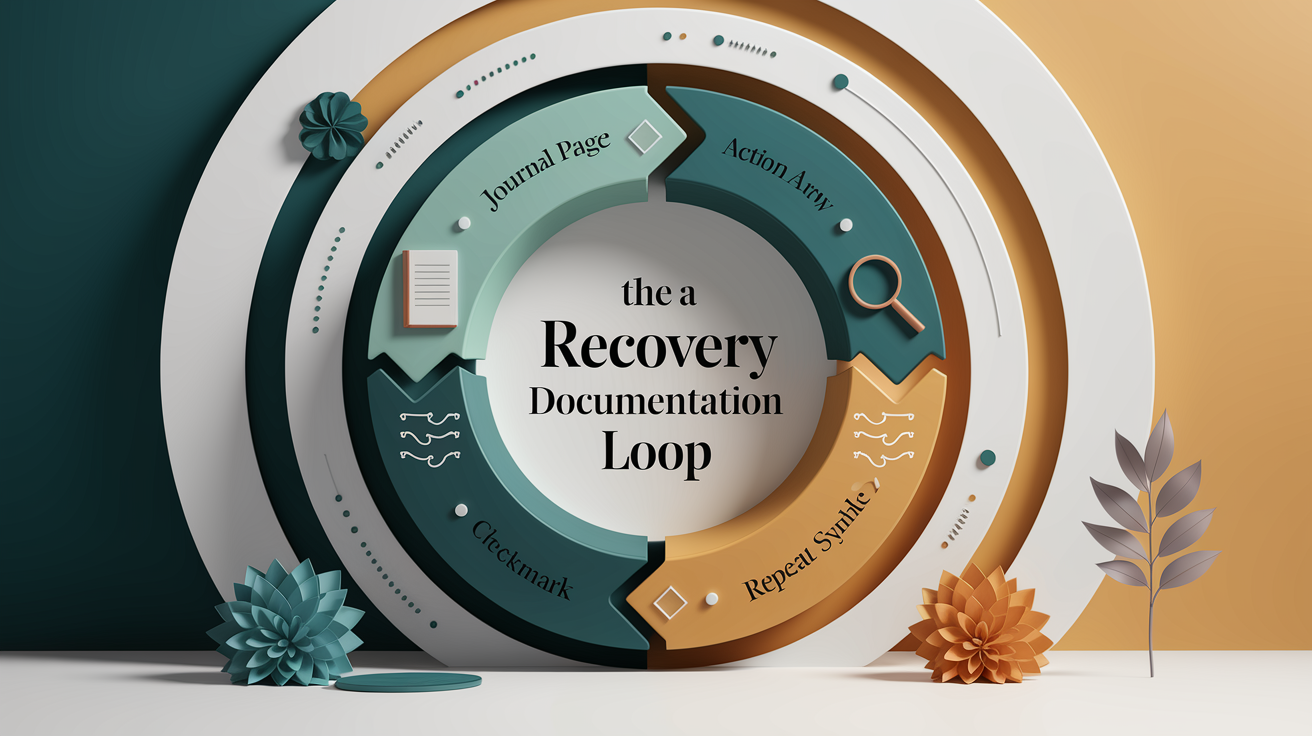
Good documentation is the quiet engine behind every real insight about recovery. Without it, you’re just guessing based on how today felt compared to some fuzzy memory of last week. With it, you start to see the actual shape of your progress: track, interpret, act, reassess, repeat.
That loop is the whole game. You record what’s happening, figure out what it means, try something based on that, then check if it worked. Recovery documentation best practices all come back to this cycle, whether you’re tracking sleep, sobriety, physical rehab, or a mental health journey.
Here’s a simple five step method to get started:
-
Define what you’re tracking and set a baseline. Before you can spot a pattern, you need to know what “normal” looks like for you right now. Spend a few days just observing and recording, without trying to change anything yet. This becomes your benchmark.
-
Choose a consistent logging frequency. Daily recovery logs work best for most people. Once a day, same time, same format. Consistency matters more than detail here.
-
Record data using a standard template. At minimum, capture date and time, who’s logging (you or a caregiver), the method or tool used, the source of the information, any relevant parameters, the outcome, and a notes field for context.
-
Review entries weekly to spot trends. Set aside ten minutes once a week to read back through your entries. Look for repeats. A bad night that happens once is noise. A bad night that happens every Tuesday is a pattern.
-
Adjust actions based on patterns and reassess. If you spot something, try one small change. Then keep logging to see if it actually moved the needle.
This isn’t a one and done project. The loop needs to keep spinning, week after week, or the documentation turns into a pile of notes nobody ever looks at again.
Choosing The Right Recovery Documentation Template

A good template does a lot of quiet work. It stops you from forgetting to log something important on a rushed day, and it keeps your notes consistent enough to actually compare week to week. Without one, most people’s logs drift. Some days detailed, some days just a sentence, which makes patterns much harder to spot later.
The core fields that work across almost any context are: date and time, operator or tool used, source of the information, mode (what kind of session or check in this was), parameters, output, notes, and a next action. Whether you’re building clinical case notes, a personal recovery journal, or a system recovery log, these fields rarely change much.
| Template Type | Best For | Key Fields |
|---|---|---|
| Daily Recovery Log | Quick, consistent daily check-ins | Date, mood/symptom score, triggers, sleep, notes |
| Weekly Progress Summary | Spotting trends across several days | Week range, averages, standout events, next steps |
| Clinical Case Note | Provider or coach documentation | Date, operator, assessment, intervention, outcome, plan |
| Incident/Trigger Log | Flagging specific setbacks or relapses | Date/time, trigger, context, response, outcome |
None of these templates should feel locked in stone. As your recovery changes, so should your tracking. What matters in week one might be irrelevant by week twelve, so it’s worth revisiting your template every month or so and trimming or adding fields as needed.
Recovery Timeline Mapping And Milestone Tracking

A timeline turns scattered log entries into a story you can actually read. The basic idea is simple: line up events in the order they happened (trigger, response, outcome) so you can see what tends to follow what. Say you notice a rough night of sleep, followed by a short temper the next afternoon, followed by a skipped workout. On their own, these are just three entries. Lined up chronologically with timestamps, they start to look like a chain reaction worth paying attention to.
This is where timestamping earns its keep. Longitudinal tracking (recording things consistently over weeks or months) only works if every entry is time stamped the same way. A log that says “felt bad, Tuesday” is far less useful than one that says “2:15 PM, tight chest, after skipped lunch.” The specificity is what lets you go back later and actually line things up.
Milestones deserve their own visual marker, separate from the day to day noise. A symptom free week, three nights of consistent sleep in a row, or a noticeable drop in craving intensity. These are worth flagging distinctly, maybe with a star or a different color in your log, so they don’t get lost among routine entries. Over time, this makes it much easier to glance at your timeline and see the actual arc of progress, not just a flat list of daily notes.
Identifying And Analyzing Recovery Patterns In Your Data

Here’s the tricky part: one bad day isn’t a pattern. Neither is one good one. A true pattern only shows up when something recurs across multiple entries. Same trigger, same time of day, same sequence of events, happening again and again instead of just once. The goal of all this logging is to get enough data that you can tell the difference between a fluke and a real signal.
A few techniques make that separation easier:
- Look for repeated triggers. If the same event (a skipped meal, a stressful call, poor sleep) shows up before multiple rough days, that’s worth flagging.
- Compare similar time periods. Look at this week versus last week, or this month versus the same month last year, rather than just scanning randomly.
- Track frequency changes. Is a symptom happening more or less often than it was a month ago? Raw counts over time tell you more than how any single day felt.
- Note correlations between variables. Sleep and mood, hydration and headaches, exercise and energy. These pairings often reveal themselves only when you’re looking at the data side by side, not when you’re
Final Words
Capture a baseline, log consistent fields, map timelines, chart visuals, and review weekly. Those are the core steps to spot what really matters.
Use the track, interpret, act, reassess loop: pick a template, record date/time, method, outcome, and notes, then review trends and run small tests.
Practice how to document recovery patterns as a short experiment: try one small change for a week, track what shifts, and compare to your baseline. Keep it simple and keep tracking. You’ll find clearer signals soon.
FAQ
Q: How can I recover my documents?
A: Recovering your documents starts by checking version history and backups, searching temp or autosave files, using reputable recovery tools if needed, and restoring from cloud or external backups while avoiding further saves to the drive.
Q: How do you write a recovery plan?
A: Writing a recovery plan means naming what to recover, assigning roles, listing tools and step-by-step actions, setting backup frequency and test dates, and adding a reassess step to update the plan after each test.
Q: I accidentally saved over a Word document. How can I recover it?
A: Recovering a Word document you overwrote starts with checking File > Info > Version History, Restore Unsaved Documents, OneDrive versions, temp files, Windows Previous Versions, and, if needed, file-recovery software.
Q: What is the process of data recovery?
A: The process of data recovery is identifying the damage, imaging or cloning the storage to prevent more loss, analyzing file structures, recovering readable data, validating integrity, and documenting steps to prevent repeats.